





2. In the "Domains" section, click on "Redirects" Icon.

3. Scroll down to the end of page and under "Current Redirects" locate the domain and. "remove" icon.
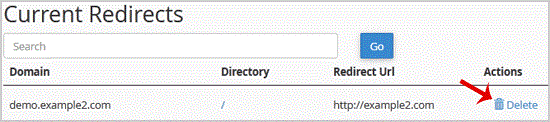
. For confirmation. "Remove Redirect" babies once more.

0 Utilisateurs l'ont trouvée utile (0 Votes)
Les plus consultés


Access the full potential of WHMCS with Shufy themes, featuring a new user-friendly client area, simplified ordering process, and much more!